When to use this
How to troubleshoot an LED Race Clock that is not displaying properly.
Steps
-
Observe the front display and identify which LED modules are not responding.
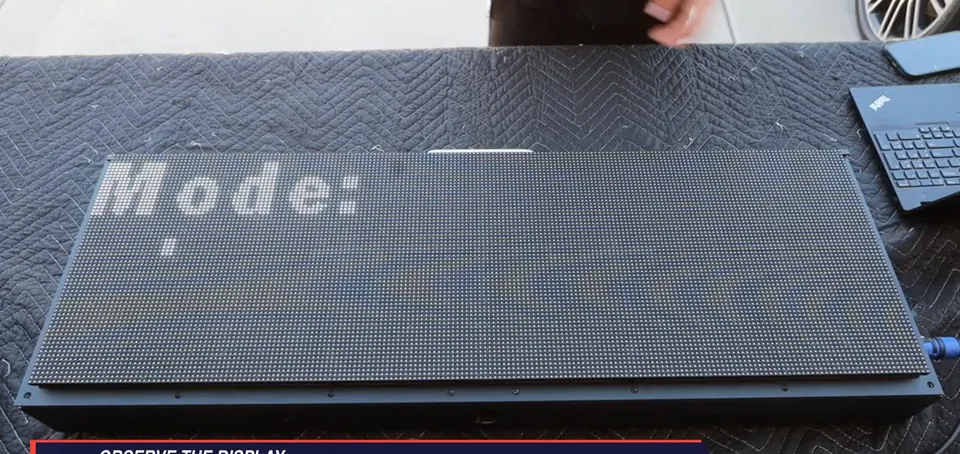
Initial incomplete display -
Open and support the rear housing, then inspect the internal connections.
-
Locate the loose red-and-black connector shown in the video and press it firmly into place.
-
Recheck the display.
-
If the issue remains, continue inspecting the remaining internal connections.
-
Locate the disconnected ribbon cable shown in the video at the LED module.
-
Align the ribbon-cable connector and press it straight in until fully seated.
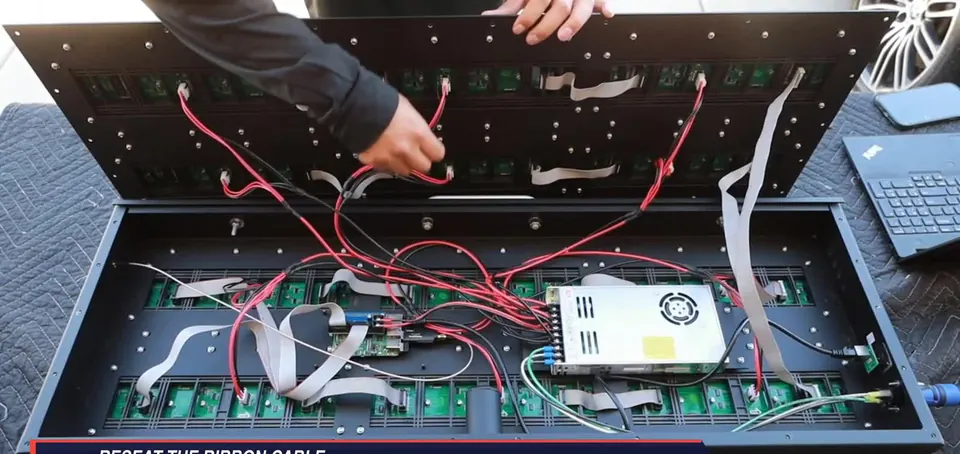
Reseat the ribbon cable -
Close the housing, restart the clock, and allow the startup sequence to finish.
-
Confirm that the full display is visible and every LED module is responding.
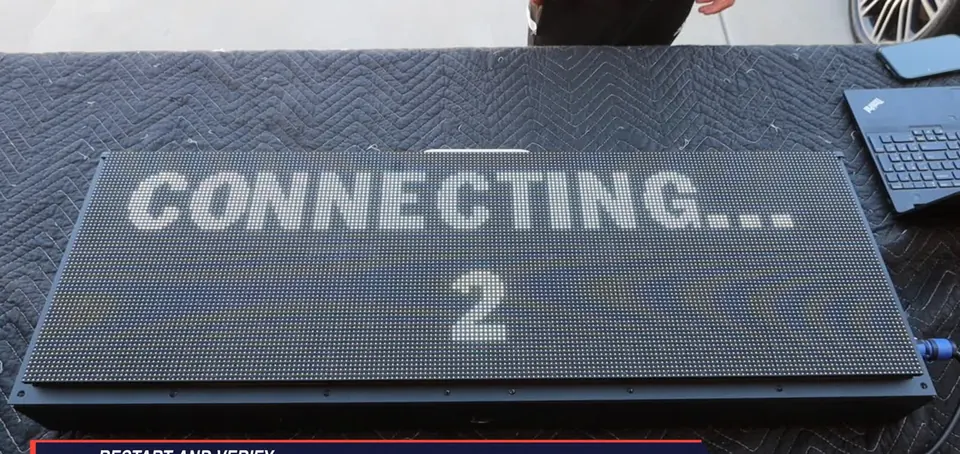
Full display after restart
Important
- No screw work while powered.
- Support the rear housing throughout access.
- The clock stays powered for the connector checks.
Check when done
After restart, the full display is visible and every LED module responds. If the issue continues after the connection checks and restart, contact Finished Results Support.
Still not working?
Email support@finishedresults.com. Tell us you completed procedure 10 and what you saw when you checked your work. Replacement parts are ordered the same way.